
Xiaomi POCO C85 Battery Replacement in Stockholm
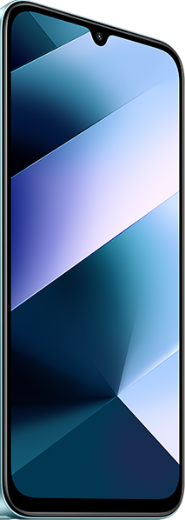
One reason many people choose the POCO C85 is its 6000 mAh battery. When, after a couple of years, it no longer keeps going as long, we fit a fresh one at Sveavägen 74 in Stockholm. The swap is quick, the cost is reasonable and the phone is resealed before you pick it up. Pop in whenever suits you.
A new C85 battery – cost
| Repair | Price | Warranty |
|---|---|---|
| POCO C85 battery (Original Quality) | Contact us | 6 months |
| Diagnostics (deducted from the repair) | 250 kr | – |
C85 batteries are cheap to buy in, though the price varies between deliveries. Talk to us on 08-656 77 40 about today’s price. Diagnostics cost 250 kr if you decide not to go ahead – otherwise they are free.
More repairs: POCO C85 repair. Screen cracked? POCO C85 screen replacement. På svenska: byta batteri POCO C85.
The C85’s cell
Xiaomi rates the battery at 6000 mAh, charged at up to 33 W over USB-C. No charger comes in the box. The MediaTek Helio G81-Ultra processor is frugal in daily use, so battery life is long when the phone is new.
How to know it is time
- You need a midday top-up even though you use the phone no more than before.
- It goes dark at 15 or 20 percent.
- The camera or a game makes it suddenly restart.
- It warms up while charging.
- The back has begun to bulge.
A bulging back can mean the battery has swollen. Put it aside, disconnect the charger and contact us.
Unbranded chargers
Since no charger is included, many owners use an old adapter or a cheap lead. A slow charger does no harm, but a damaged cable or poor-quality adapter can run hot and charge unevenly. If the plug gets warm, try another cable and adapter before blaming the battery.
Check apps and storage
Under Battery in HyperOS 2 you can see which apps draw the most. A nearly full internal memory can also make the phone sluggish and warm, which drains the battery. Free up space, restart and watch usage for a day. If it looks just as bad afterwards, a new battery is due.
What happens in the workshop
Check
First the cell’s condition is measured and we try charging with a cable we know is good.
Back off
The back is warmed and prised away gently, taking care not to harm the side-button cable.
New cell
The old battery is glued in and released. The new one goes in and the phone is started.
Back together
The back is fixed with a new gasket. Then we check charging, fingerprint, camera and sound.
IP64 after the swap
The C85 handles dust and splashes. After the back has been off we lay a new seal, but avoid water as far as you can.
Waiting time
If the battery is on the shelf you can collect the phone the same day.
The first weeks
Use the phone as usual. Run it nearly empty at some point in the first week, then fill it to a hundred. The phone learns the new cell’s size and the percentage becomes accurate.
Making the battery last
Avoid charging in the sun or under the duvet, and do not leave the phone at 100 percent all night, every night. Smart charging in HyperOS can help by pausing and finishing in the morning.
The charging port
All charging runs through the USB-C port, which gathers pocket lint. A dirty or worn port can make it look as if the battery is faulty. So we blow the port clean while the phone is open. If the pins are worn you will be told, but we do not replace it unnecessarily.
Cold
Lithium batteries give less power in the cold. A worn battery can make the C85 switch off outdoors in winter with charge left. If it starts again indoors, the cell clearly needs replacing.
Swollen battery
A swelling battery pushes the back out and can, at worst, damage the screen. Keep the phone cool, do not charge it and come in the same day if possible.
Memory card and data
You can take out and keep your microSD card while we work. Nothing in the phone’s memory is lost during the battery swap.
Second-hand C85
If you bought the phone used, we can measure the battery and tell you how much capacity remains.
Water and battery
If the C85 got wet, moisture can reach the battery contacts. Switch it off and come in. We open, dry and measure before suggesting anything. Liquid damage has no warranty.
When it is not the battery
Sometimes the fault lies in the charging circuit or software. We always measure first so you do not pay for a part you do not need.
Big battery, slow charging
Filling 6000 mAh at 33 W takes a while, and with an old 10 or 18 W charger it can take hours. That is not a fault – and slow charging is gentle on the cell. But if charging suddenly takes much longer than usual with the same charger, the battery or port may be worn.
Helio G81-Ultra and battery life
MediaTek’s processor uses little power day to day, so a healthy C85 battery usually lasts well for browsing, texting and video. If it still drains fast, a background app, poor signal or maximum screen brightness may be the cause. Once those are ruled out, the battery is the likely culprit.
A phone for children and older relatives
The C85 is often a first phone or a simple phone for older family members. Then it matters even more that the battery lasts and the phone does not switch off unexpectedly. A new battery is a cheap fix that makes it reliable again, and we are happy to explain how to charge gently.
The difference afterwards
Most people notice straight away that the phone lasts a full day again, the percentage drops evenly and the camera starts without trouble. If you got used to carrying a charger everywhere, you can often leave it at home.
The side button after the swap
The fingerprint reader is in the power button on the side. After the battery swap we try unlocking with your finger and restarting with the button, so you know everything works before you leave.
Battery and internal storage
A phone with nearly full memory works harder. Apps restart more often, the system tidies up in the background and the processor warms up – all of which uses power. The C85 takes a memory card, so move photos and video there. That can improve both performance and battery life, and shows whether the problem really is the battery.
How long will the new battery last?
An Original Quality cell works as the battery did when the phone was new. How long it lasts depends on how you charge and how warm the phone gets; with gentle charging it is usually several years before you notice a difference again.
Recycling
We pass the old battery on to battery collection.
What to bring
- The phone and ideally your charging cable.
- The screen-lock code.
- You can remove the memory card yourself.
Warranty
The new battery and our work carry a 6-month warranty, except for liquid and new impacts.
Questions
Will the phone charge faster after the swap?
No, the maximum is still 33 W, but charging becomes steadier.
Will my old charger work?
Yes, if it worked before it works now.
Will anything be lost?
No, everything stays.
Find us
Sveavägen 74, Stockholm. More Xiaomi and POCO: Xiaomi repairs.
More on the C85
POCO C85 price list · POCO C85 screen replacement · Byta skärm POCO C85 · Byta batteri POCO C85


