
Samsung Galaxy A73 5G Battery Replacement in Stockholm
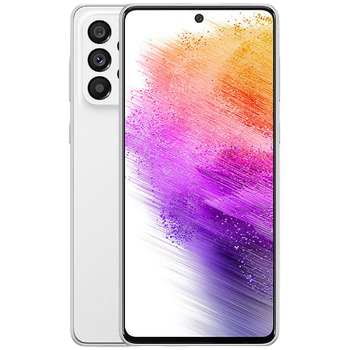
Does your Samsung Galaxy A73 5G need charging by mid-afternoon? A worn battery is the most common reason. At Phoniva on Sveavägen 74 in Stockholm we replace the battery in the SM-A736B, check the charging port and test the phone before you take it home. No appointment needed.
Galaxy A73 battery replacement price
| Repair | Price | Warranty |
|---|---|---|
| Battery replacement (OEM quality), Galaxy A73 5G | 549 kr | 6 months |
| Battery replacement (Original Quality), Galaxy A73 5G | 749 kr | 6 months |
| Diagnostics (deducted from the repair) | 250 kr | – |
You choose between two battery qualities. Both come with six months’ warranty. A diagnosis is 250 kr and is deducted if you go ahead with the repair. Questions? Phone 08-656 77 40.
Every A73 repair: Samsung Galaxy A73 price list. Display cracked? See Galaxy A73 screen replacement. Svenska: byta batteri Galaxy A73 5G · byta skärm Galaxy A73 5G.
The A73 battery
GSMArena lists a 5000 mAh lithium-polymer battery with 25 W wired charging. When new it comfortably lasts a full day, even with the 120 Hz display switched on. The A73 was released in April 2022, so many phones have now gone through hundreds of charge cycles. Each cycle wears the cells slightly, and after a couple of years a noticeable drop in runtime is normal.
OEM quality or Original Quality?
The OEM-quality battery is a reliable, lower-cost option that restores good everyday runtime. The Original Quality battery is made to match the factory cell’s capacity and behaviour as closely as possible, and is the choice if you want the result to feel like a new phone. We explain the difference at the counter and you pick the one that suits you.
Signs the battery is worn
- You charge twice a day where once used to be enough.
- The phone shuts off with 10–30 percent left.
- It restarts when opening the camera or a game.
- The percentage jumps around after charging.
- The phone gets warm during light use.
- The back cover is lifting or the screen bulges.
Swollen battery
A swelling battery pushes the back cover outward and can press against the display from behind. Stop charging, do not press the cover back down and bring the phone in quickly. We replace the battery and check whether the screen or frame has been affected.
Check battery health yourself
Samsung does not show a simple health percentage on every model, but you can see a lot in Settings, Battery and device care. The Battery screen shows which apps use the most power. A single app at the top of the list that you hardly use may be the real problem – update or restrict it first. In the Samsung Members app, the diagnostics section can also run a battery status test. If the result says the battery is weak, it is time to replace it.
Battery or charging port?
If the A73 charges only with the cable at an angle, or stops and starts, the USB-C port is the likely cause. Pocket lint often builds up at the bottom of the port. A careful clean and a reading with a USB meter show whether the port or the cells are to blame, before any part is swapped. Port replacement is on our A73 price list if cleaning is not enough.
How we replace it
Diagnosis
We confirm the model number and test charging, current draw and battery status.
Opening
The back of the A73 is glued. We heat it gently and lift it without bending, then disconnect the battery before anything else.
Replacement
The old battery is removed with care – bending a lithium cell is dangerous – and the new one is fitted with fresh adhesive.
Sealing and testing
We close the phone with new adhesive, charge it and test the camera, speakers, microphones, fingerprint reader and network.
Fast charging and battery wear
The A73 supports 25 W wired charging. Fast charging is convenient, but it produces more heat than slow charging, and heat is what wears lithium cells fastest. If you usually charge overnight, you can turn off fast charging in the battery settings so the phone charges gently while you sleep. Combined with the battery protection option, that noticeably slows down wear on a new battery.
When the phone will not turn on
An A73 drained to zero may show no sign of life at all. Give it thirty minutes on a charger you trust before assuming the worst. If the screen stays black, try holding the side key and volume down for ten seconds. If nothing happens, the fault may be the battery, the charging port or the board, and our diagnosis will tell which.
Fingerprint reader and screen after a battery swap
Because the A73’s fingerprint sensor sits under the display, a swollen battery that has pressed against the screen can affect the reader and leave pressure marks on the panel. After fitting the new battery we check the sensor and the display carefully. If the screen has been damaged by the old battery, we show you before quoting anything extra.
Turnaround
With the battery in stock, most A73 battery jobs are ready the same day. If we need to order, you get a date before you hand the phone in.
Water resistance afterwards
The A73 is rated IP67 from the factory according to GSMArena. We reseal the back with new adhesive, but cannot guarantee the same water resistance as when the phone was new. Keep it dry for the first day.
Keeping the new battery healthy
- Turn on battery protection in settings so charging stops before 100 percent.
- Avoid leaving the phone in a hot car or in direct sun.
- Do not game for long periods while charging.
- Use a proper USB-C charger and cable.
- Store the phone around half charged if you put it away for weeks.
Winter in Stockholm
Lithium batteries deliver less current in the cold. A worn A73 can shut down at a bus stop in January even though it showed a quarter left, then come back to life indoors. If that happens to you, the battery is past its best and a replacement will make a clear difference.
Is it worth it?
Samsung promised the A73 four major Android versions, and GSMArena records it on One UI 6.1. The phone is still quick for everyday use, so spending a few hundred kronor on fresh cells usually makes more sense than buying a new handset and moving everything across.
Recycling the old battery
Lithium batteries must never go in household waste. A spent cell belongs at a recycling centre or in a battery collection box, and a swollen one should be handled gently and kept away from heat until it is handed in.
FAQ
Will my data be kept?
Yes, a battery swap leaves photos, apps and messages in place. A backup is still wise.
Which battery should I pick?
OEM quality for the best price, Original Quality for runtime closest to new.
Do I need to book?
No, walk in during opening hours. A phone call first tells you whether the battery is in stock.
Warranty?
Six months on the battery and our work, excluding liquid damage.
Visit us
Phoniva, Sveavägen 74, Vasastan, Stockholm. Other Galaxy A models: Samsung Galaxy A repairs.


